
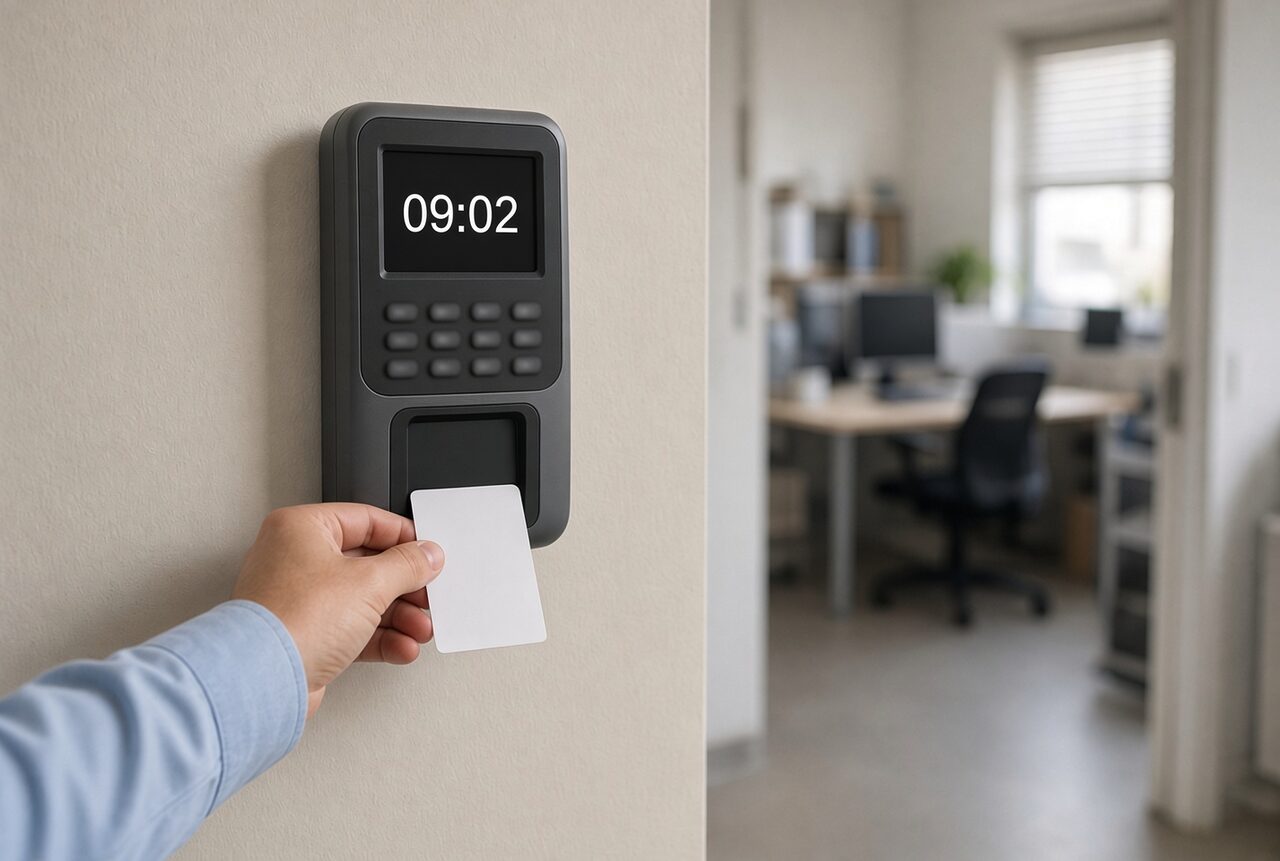
A magnetic card time clock: the employee swipes a card through a slot and the clock records the time. A proximity card (RFID) clock works the same way, except that you hold the card up to the clock instead of swiping it, so there is no slot to get dirty and no stripe to wear off. Whoever wants to keep using cards and be rid of the faults usually moves to proximity.
This guide also compares a fingerprint clock, clocking in from a computer and a phone app. At the end is a short checklist: where employees clock in, who needs to clock in for themselves, and what you already have.
Time clocks compared at a glance
| Type | How you clock in | Best for |
|---|---|---|
| Magnetic card | Swipe a card through a slot | A small business in one place, with a card clock already |
| Proximity card (RFID) | Hold a card or tag to the clock | Keeping cards, without the wear |
| Fingerprint | Place a finger on the sensor | Making sure each employee clocks in only for themselves |
| Computer | Click "in" and "out" in the browser | Office staff, remote work and reporting by project |
| Phone app | Clock in on the phone, location recorded | Field staff, technicians and site managers |
Magnetic card time clock
Every employee has a personal card with a magnetic stripe that holds their number. On the way in and out they swipe the card through the clock's slot, the reader recognizes the number and the clock records the time. From there the data goes to a computer, into each employee's attendance report.
- The advantage: a simple, familiar method that employees understand from day one.
- Worth knowing: swiping wears out the reader and the cards over time. And a card can be used to clock in for a friend.
It suits a small business with regular employees in one place, which already has a card clock and wants to keep clocking in that way. Someone buying a new clock can keep the same habit with a proximity card, without the slot.
The faults that keep coming back with a magnetic card clock
Anyone who has used a card clock for a few years knows them:
- The clock doesn't read the card. The employee swiped too fast, too slow or the wrong way round, and tries again. In the morning it ends in a queue at the entrance.
- The magnetic stripe is worn or erased. The card bends in a wallet, gets scratched, or is erased near a magnet, for example in a phone case with a magnetic clasp. The employee finds out only when the clock doesn't recognize them.
- The reader gets dirty and wears out. Dust and dirt collect in the slot, and over time the reader recognizes cards less well. It needs cleaning, and sometimes replacing.
- A card forgotten at home or lost. The employee doesn't clock in, and at the end of the month someone fills in their hours by hand.
- Clocking in for a friend. A card passes easily from hand to hand, and there is no way to know who really stood in front of the clock.
Proximity card (RFID) time clock
The next generation of the card clock. The first three faults start at the slot, and a proximity (RFID) card has no slot and no magnetic stripe: the employee just holds the card or proximity tag up to the clock, and the clock recognizes it.
It suits businesses that want to keep working with cards, without the wear of the magnetic card. Each card or tag is assigned once to an employee, and from then on every clock-in is recorded under their name.
Moving to a proximity card on the US10C clock
The US10C time clock that we supply with ProperTime recognizes a proximity card or tag, and also a fingerprint. Moving from a magnetic card is simple:
- Employees keep a personal card. The same habit, except that they hold the card up instead of swiping it. Nothing to learn again.
- No slot to get dirty and no stripe to erase. The cards and the reader do not wear out, and clocking in is faster.
- Move to fingerprints if you like. You can enroll fingerprints on the same clock. Some employees stay with a card and some already clock in with a finger. Whoever clocks in with a finger doesn't forget a card at home, and nobody clocks in for them.
- Everything in one report. Every clock-in on the clock goes into ProperTime, together with clock-ins from the phone and the computer, and at the end of the month there is a file ready for payroll.
Fingerprint (biometric) time clock
The employee places a finger on the clock's sensor, after enrolling their fingerprint once. The big advantage: only the employee can clock in. There is no card to forget at home, and you cannot clock in for someone else. When it suits a business and how it differs from a card clock is covered in the guide to the biometric time clock.
The US10C fingerprint clock that we supply combines fingerprint recognition and card or proximity tag recognition in one clock.
Computer-based time clock (over the web)
With a computer-based time clock you clock in on a computer, not on a clock hanging at the entrance. The employee opens the web attendance system in the browser, clicks "in" when they start work and "out" when they finish. There are no cards and no hardware, and they report from the office, from home and even from abroad. All the data is backed up in the cloud.
- The advantage: no clock to buy, install or repair. Anyone who sits at a computer all day reports with one click, from wherever they work.
- Another advantage: from the computer you also report how long you worked on each client, project and task, not only when you came and left. That is how ProperTime's hours reporting system works, and you know at any moment how many hours went to each project.
- Worth knowing: reporting from a computer suits people who work at one. Someone who starts the day at a client or on a site doesn't always open a computer, and finds it easier to report from the phone. And when every employee reports for themselves, it is worth having the manager go over the reports and approve them during the month, not only when it closes.
It suits office staff, hybrid work and companies that report hours by project.
Attendance app on the phone
An attendance app is the clock at the entrance, only on the employee's phone. They clock in and out in the Android or iOS app, and the location of the clock-in is recorded together with the time. So even someone who hardly ever comes to the office reports on time, and not at the end of the week from memory.
- The advantage: the employee clocks in where they start work: at the client, on site or at home. The manager sees where the report came from, and the hours don't arrive at the end of the month in a message or a table that someone has to type in.
- Another advantage: from the same app you also report hours for a project or a task. And companies that report hours to the Israel Innovation Authority can report from the phone too: ProperTime is the first system approved for reporting from mobile. See Innovation Authority hours reporting.
- Worth knowing: every employee needs a smartphone, and has to remember to clock in. A reminder for employees who forgot to report helps avoid empty days in the report.
It suits field staff, technicians, sales agents, site managers and teams that work at several sites.
Manual time clock (cardboard card or manual report)
The old method, in two versions. In one, a monthly cardboard card is stamped in a mechanical clock at the entrance. In the other, employees write their hours themselves, in a manual attendance sheet on paper or in an Excel table.
- The advantage: cheap and simple to start. There is no system to learn, and everyone knows how to stamp a card or fill in a table.
- Worth knowing: all the work is pushed to the end of the month. Someone has to go over every card and every sheet, decipher handwriting, fill in missing days and type the hours into payroll. A lost card takes a whole month of data with it. And a report that the employee fills in is often written afterwards, from memory.
- And what the law says: under Israeli law, an attendance record that is not made by mechanical, digital or electronic means, such as a handwritten sheet, has to be signed by the employee every day and approved with the signature of a person the employer has appointed for this. This is general information, not legal advice.
It suits a very small business with regular employees in one place and hours that hardly change. As the business grows, moving to a digital clock saves the typing at the end of the month.
Which type of time clock fits your business?
- Do all employees come to the same place? A physical clock with a proximity card or a fingerprint.
- Is it important to you that each employee clocks in only for themselves? A fingerprint.
- Do you have employees in the field or at home? A phone app and reporting from the computer. For a week that is half in the office: attendance in hybrid work.
- Still on cardboard cards or tables? Any of the other types will save you the typing at the end of the month.
- Have a bit of everything? Combine several types and gather all the reports in one system.
All ways of clocking in, in one system
ProperTime's time clock combines all the ways of clocking in: a physical clock (fingerprint, proximity card or tag), reporting from the computer, and an app for Android and iOS. All the reports go into the same attendance system, together with absences and task reporting, and at the end of the month you produce a file ready for the payroll system. Setup is simple, and support is available all the way.
The system is also approved for hours reporting to the Israel Innovation Authority, including reporting from the phone.
Want to see how it works for you? Leave your details and we'll set up a 14-day trial for you, with no commitment and no credit card.